
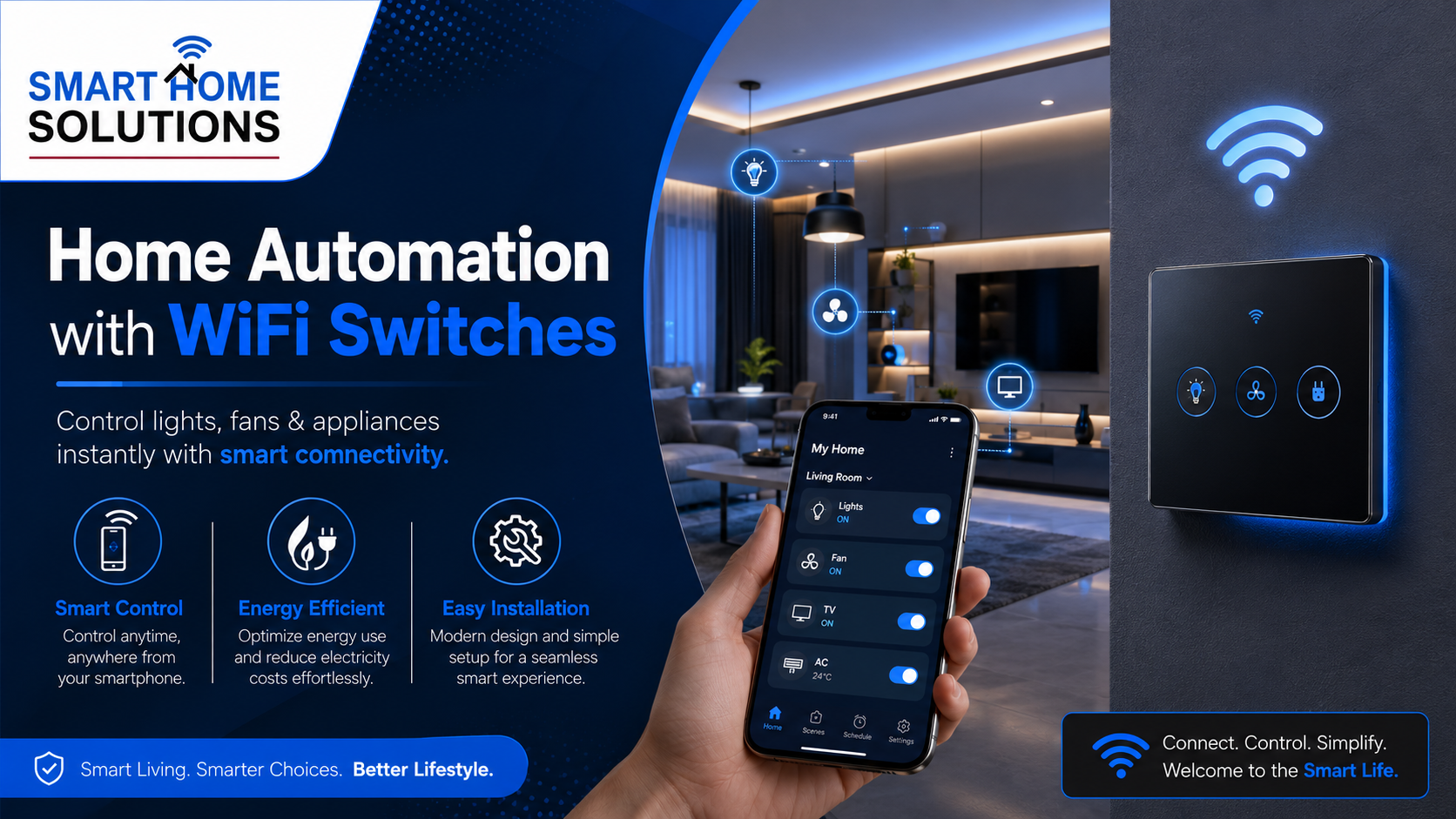
Home automation with WiFi switches is changing the way people manage lights, fans, appliances, and everyday electrical devices. Instead of manually operating switches from different rooms, homeowners can control them through a mobile app, voice assistant, schedules, or automation routines.
A WiFi switch connects to your home network and allows you to operate compatible electrical points remotely. Whether you are at home, at work, or travelling, you can turn devices on or off from your smartphone. This makes daily living more convenient, energy-efficient, and secure.
What Is Home Automation with WiFi Switches?
Home automation with WiFi switches means using internet-connected switches to control electrical devices through a smartphone, tablet, or voice-enabled assistant. These switches can replace traditional wall switches or work as smart modules behind existing switchboards.
Once connected to WiFi, a smart switch communicates with its mobile application. You can use the app to control lights, ceiling fans, lamps, geysers, air conditioners, curtains, and other compatible appliances.
For example, you can switch off forgotten lights after leaving home, turn on your porch light before arriving, or create a schedule for your geyser to operate only during selected hours.
How Home Automation with WiFi Switches Works
WiFi switches work by connecting to your home’s wireless internet network. After installation, users usually pair the switch with a compatible mobile application.
The process generally includes:
- Installing the WiFi switch at the required electrical point.
- Connecting it to the home WiFi network.
- Adding the device to the mobile app.
- Naming the switch according to its purpose, such as “Living Room Light” or “Bedroom Fan.”
- Creating schedules, timers, scenes, or voice commands.
Many smart switches can also be connected with voice assistants. This allows users to control devices through simple commands such as, “Turn off the bedroom lights” or “Switch on the living room fan.”
Why Choose Home Automation with WiFi Switches?
The biggest benefit of WiFi-based automation is convenience. You do not need to move from one room to another just to switch off lights or appliances. A single mobile app can help you manage multiple electrical points.
However, convenience is only one part of the value. Smart switches can also support better energy management and improve everyday safety.
Remote Control From Anywhere
WiFi switches allow you to control your connected devices from almost anywhere with internet access. This is useful when you leave home in a hurry and forget to turn off an appliance.
For instance, if you are already at the office and remember that a room light is still on, you can check the app and switch it off remotely.
Better Energy Management
Many electrical devices consume power unnecessarily when they are left on for long hours. Smart switches allow users to create timers and schedules that reduce avoidable energy use.
You can automate lights to turn off at bedtime, set the geyser to work only in the morning, or schedule outdoor lighting for the evening. Over time, these routines can support more responsible electricity use.
Voice-Controlled Convenience
Voice control is one of the most popular features of home automation with WiFi switches. It is especially useful when your hands are occupied, when you are cooking, relaxing, or entering a room at night.
Instead of reaching for a switchboard, you can simply use a voice command to operate the connected light, fan, or appliance.
Enhanced Home Security
Smart switches can also improve the appearance of an occupied home when you are away. You can schedule lights to turn on and off at selected times, which may make the home look active during holidays or late evenings.
When paired with smart cameras, sensors, and alerts, WiFi switch automation can become part of a broader home security setup.
Best Areas to Use WiFi Smart Switches
WiFi smart switches can be installed in many areas of a home. The right placement depends on your lifestyle, daily routine, and the appliances you want to automate.
Living Room
The living room is often the first place homeowners choose for automation. You can control ceiling lights, lamps, fans, television power points, decorative lighting, and air-conditioning systems.
A “Movie Time” scene can turn off the main lights, switch on ambient lighting, and adjust the room environment with one tap.
Bedroom
In bedrooms, smart switches provide comfort and convenience. You can control lights and fans without getting out of bed. Bedtime routines can switch off selected lights, turn on a night lamp, and activate other connected devices.
This setup is also helpful for elderly family members and people who may find frequent movement to switchboards inconvenient.
Kitchen
Smart switches can be useful for kitchen lighting, exhaust fans, and selected appliances. Timers can help ensure that certain devices are not left running longer than needed.
However, high-power appliances should always be installed and configured according to electrical safety requirements. It is important to use suitable products and professional installation where needed.
Outdoor Areas
Balcony lights, garden lights, porch lights, and entrance lighting are ideal for automation. You can schedule them to turn on after sunset and switch off at a fixed time.
For better control of movement-based lighting in passages, parking areas, balconies, and entry points, consider adding a Motion Sensor. It can help activate lights when movement is detected and switch them off after a selected period.
Smart Switches vs Traditional Switches
Traditional switches offer basic manual control. They work well, but they require physical operation every time. WiFi switches add remote access, automation, scheduling, and voice control to the same basic function.
Here is a simple comparison:
| Feature | Traditional Switch | WiFi Smart Switch |
| Manual control | Yes | Yes |
| Mobile app control | No | Yes |
| Voice control | No | Yes |
| Remote access | No | Yes |
| Scheduling and timers | No | Yes |
| Automation scenes | No | Yes |
| Energy-saving routines | Limited | Easier to manage |
For homeowners who want to begin gradually, Smart Switches are often one of the easiest starting points for upgrading a home.
Important Features to Look for in WiFi Switches
Before purchasing a WiFi switch, check whether it suits your home’s electrical setup and automation requirements. Not every product has the same features or installation needs.
Look for the following:
Compatibility With Existing Wiring
Choose a switch that works with your current switchboard and wiring arrangement. Some smart switches may need a neutral wire, while others are designed for different installation conditions.
Always confirm technical compatibility before installation.
Mobile App and Voice Assistant Support
A good WiFi switch should offer a reliable app with simple controls. It should also support common voice assistant platforms if voice control is important for your household.
Timers, Schedules, and Scenes
These features make automation practical. Timers help control appliances for a fixed period, while schedules allow devices to operate at specific times every day.
Scenes let you control multiple devices together. For example, a “Good Night” scene can turn off lights in the living room, switch off the television point, and turn on a bedroom night light.
Build Quality and Safety Features
Electrical products should always be selected carefully. Choose products with reliable build quality and appropriate load capacity for the device being controlled.
For heavy appliances, consult a qualified electrician or automation professional to ensure safe and correct installation.
How to Plan Home Automation with WiFi Switches
Start with the rooms and devices that you use most often. You do not need to automate the entire house at once. Begin with key areas such as the living room, bedroom, entrance, and outdoor lights.
Make a list of:
- Lights you frequently forget to switch off.
- Appliances that follow a daily routine.
- Areas where voice control would be helpful.
- Devices that need timers or schedules.
- Entry points where motion-based lighting can improve convenience.
A well-planned setup can grow over time. You can start with a few switches and later add sensors, smart plugs, smart curtains, security devices, and other automation products.
For a complete setup that connects comfort, safety, and control, explore a Smart Home Automation Solution. Smart Home Solutions can help homeowners understand suitable automation options for modern residential spaces.
Final Thoughts on Home Automation with WiFi Switches
Home automation with WiFi switches is a practical way to make your home more connected and convenient. It gives you control over lights, fans, and compatible appliances through your phone, schedules, automation scenes, and voice commands.
The best approach is to begin with the areas that provide the most daily value. Start with lighting, fans, entrance points, and commonly used appliances. Then expand your system based on your lifestyle and future needs.
With the right planning, WiFi switches can make everyday routines simpler while supporting better energy use, comfort, and home management.
Frequently Asked Questions About Home Automation with WiFi Switches
1. What is home automation with WiFi switches?
Home automation with WiFi switches allows you to control lights, fans, and compatible appliances through a smartphone app, voice assistant, timer, or automated schedule.
2. Do WiFi switches work without the internet?
Most WiFi switches need an internet connection for remote control through a mobile app. However, some products may still allow manual control directly from the physical switchboard.
3. Can I control WiFi switches from outside my home?
Yes. Once the smart switch is connected to your home WiFi and mobile app, you can control compatible devices remotely from anywhere with internet access.
4. Are WiFi switches safe for home use?
WiFi switches can be safe when you choose quality products with suitable load capacity and install them correctly. For high-power appliances, use professional installation and follow electrical safety guidelines.
5. Can WiFi switches control fans and air conditioners?
Yes, WiFi switches can control compatible fans, lights, and selected appliances. However, the product should match the appliance load and electrical requirements before installation.
6. Do smart switches require new wiring?
Some WiFi switches work with existing wiring, while others may require a neutral wire or minor electrical changes. It is best to confirm compatibility before purchasing.
7. Can I use WiFi switches with Alexa or Google Assistant?
Many WiFi smart switches support popular voice assistants such as Amazon Alexa and Google Assistant. This lets you operate connected devices through voice commands.
8. How do schedules help with home automation?
Schedules allow you to turn devices on or off automatically at selected times. For example, you can switch on outdoor lights in the evening or turn off bedroom lights at bedtime.
9. What is the difference between a smart switch and a smart plug?
A smart switch is usually installed in a wall switchboard to control a fixed electrical point. A smart plug is plugged into a regular socket and is useful for portable appliances such as lamps, chargers, or coffee machines.
10. Can I start home automation with only a few switches?
Yes. You can begin with commonly used areas such as the living room, bedroom, entrance lights, or outdoor lighting. Later, you can add more switches, sensors, smart plugs, and other automation devices.